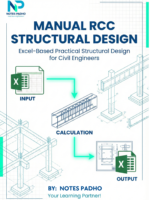


Boost Your Productivity with This Automatic Quantity Survey Excel Sheet!
Say goodbye to manual calculations! This smart Excel tool helps civil engineers, quantity surveyors, and construction professionals automate quantity estimation for concrete, masonry, plaster, tiles, and more.
🔹 Key Features:
✅ Pre-Built Automatic Formulas – Get instant calculations for concrete mix, bricks, plaster, tiles, and steel estimation.
✅ User-Friendly Interface – Just enter values, and it auto-generates accurate results.
✅ Includes a Unit Converter – Convert between feet, meters, inches, cubic feet, and cubic meters easily.
✅ Time-Saving & Error-Free – Reduce manual errors and speed up your project work.
What’s inside the Automatic Quantity Survey Excel Sheet
The workbook has 5 ready sheets. Enter your dimensions and the quantities are calculated instantly, in both feet and metre units.
- Concrete: concrete volume with cement (bags), sand and aggregate quantity, plus steel quantity in kg and ton for foundation, column, beam and slab/stair
- Masonry: brick masonry and block masonry (8″×4″×16″, 8″×6″×16″ and 8″×8″×16″ blocks) – number of bricks or blocks, cement bags and sand
- Plaster: plaster area and thickness to cement bags and sand
- Tile: floor area and tile size to the number of tiles needed
- Converter: length, area, volume, weight and distance – feet, metre, inch, cm, mm, sooter, sq.ft, sq.m, cft, cu.m, lbs, kg, ton, mile and km
How to use it
- Download and open the file in Microsoft Excel.
- Pick the sheet for your work: concrete, masonry, plaster or tile.
- Enter length, width, thickness and mix ratio. The material quantities update automatically.
Who is it for?
- Site engineers and supervisors who order material
- Quantity surveyors and billing engineers
- Contractors who need a quick material estimate for a client
- Civil engineering students learning quantity calculation
FAQs
Does it need macros?
No. It is a normal .xlsx file with built-in formulas.
Can I change the wastage or mix ratio?
Yes. Enter your own ratio in the input cells and the results recalculate.
How will I get the file?
You get the download link on the order page and by email right after payment.